Guide ·
WoW Forever New Player FAQ: 20 Quick Answers
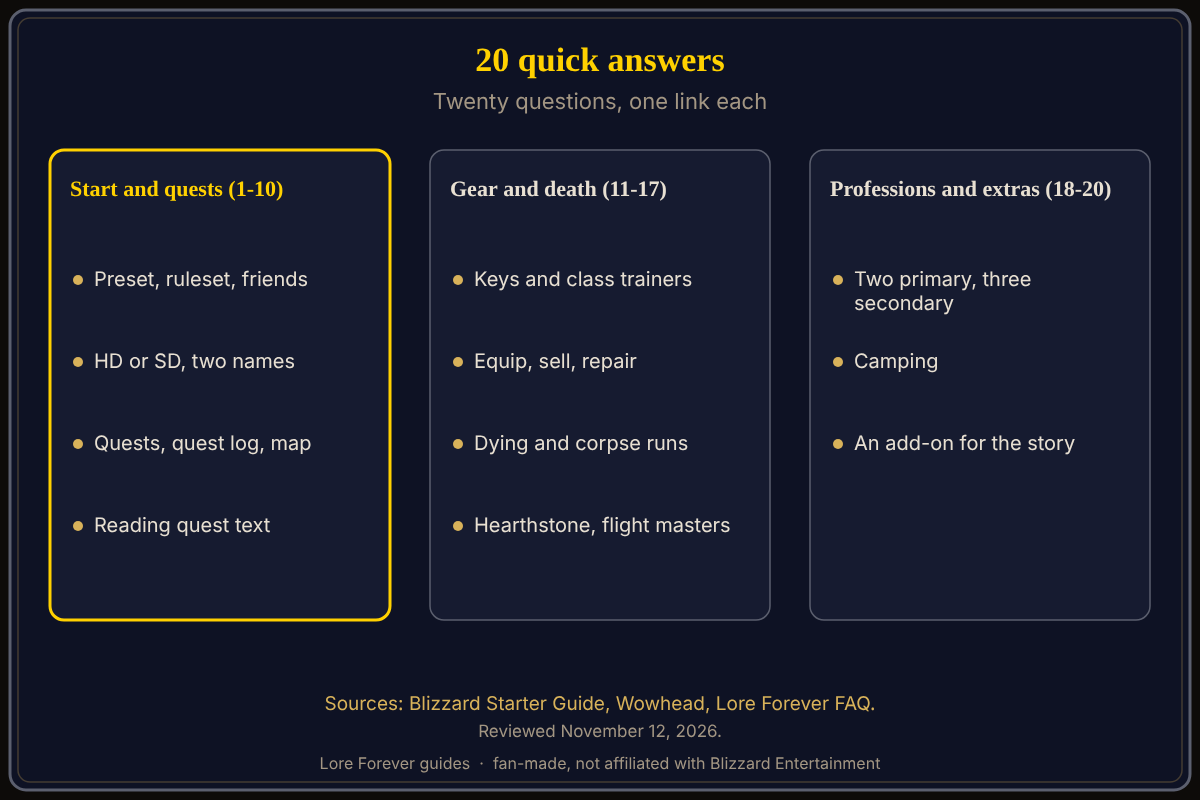
New players of World of Warcraft: Forever (WoW Forever) ask the same twenty questions, and each has a short answer below, drawn from Blizzard's New Player's Starter Guide and Wowhead, as of November 12, 2026. Every answer links to the full guide.
Quick answer: Start with the preset and ruleset, follow the exclamation points, read tooltips and quest text, repair and sell in town, and ask for help when stuck. Blizzard's Starter Guide says there is no single correct way to play.
Key facts
- Main source: Blizzard's Starter Guide, October 28, 2026
- Format: 20 numbered questions, one link each
How do you start?
1. What do I need to play?
Blizzard says WoW Forever comes with an active subscription or Game Time. Install the Battle.net desktop app, then pick WoW Forever from the game versions. See the beginner's guide.
2. Classic or Enhanced preset?
You choose at first login, before the ruleset. Enhanced starts with high definition models and quest markers on; Classic starts with standard models and markers off. Blizzard says that if unsure, start with Enhanced. See the preset guide.
3. Which ruleset should I pick?
Normal, PvP, Roleplay and Roleplay-PvP are available; Hardcore is planned for later. Blizzard calls Normal a welcoming place to learn. See rulesets for beginners.
4. Can I play with friends?
Only on the same ruleset and faction, for groups, guilds, dungeons and raids. Agree both before you create characters. See playing with friends.
5. HD or SD models?
You pick per character; it changes looks only, and you can change it in Options or at a Barbershop. See HD or SD models.
6. What is the two-name system?
A main name plus a secondary name, and the full combination must be unique in your region. Hide the second one under Options > Nameplates > My Secondary Name; chat still shows it. See character name rules.
How do quests and the map work?
7. How do I find quests?
Look for an exclamation point over a character's head. A question mark means a finished quest is ready to hand in. See quests and the quest log.
8. Where is my quest log?
Press Hotkey-L. You can track, untrack or abandon quests there.
9. How do I use the map?
Hotkey-M opens the world map with quest markers and highlighted objective areas; the minimap also points to nearby objectives. See the map and minimap.
10. Should I read quest text?
Blizzard says to read it when you can, because it reveals the area's stories and clues. See reading the quest text.
What about your character and gear?
11. Which keys matter first?
Per Blizzard: Hotkey-P spellbook, Hotkey-C character panel, Hotkey-K professions, Hotkey-L quest log, Hotkey-M map. See default keybindings.
12. Where do I learn new abilities?
From a class trainer as you gain levels. See class trainers.
13. How do I equip gear?
Right-click it in your bags or drag it to the Character panel. The tooltip compares it with what you wear, and higher quality is not always better. See item colors and gear.
14. How do I sell items?
Right-click a vendor, then right-click items in your bags. The Buyback tab undoes mistakes, and gray items can be sold. See what to keep or sell.
15. How do I repair?
Vendors with an anvil icon repair equipment for a fee. See how to repair your gear.
What happens when you die, and how do you travel?
16. What happens when I die?
Release your spirit, then follow the corpse marker on the minimap or map to your body and select Resurrect. A Spirit Healer is faster but damages equipment durability and may add Resurrection Sickness. See death and corpse runs.
17. How do I get around?
Innkeepers can bind your Hearthstone to their inn, and flight masters teach flight paths, per Blizzard's tips. See the travel guide.
Which professions and extras should you know?
18. How many professions can I learn?
Two primary and all three secondary: Cooking, Fishing and First Aid. Press Hotkey-K to see recipes. See the professions guide.
19. What is camping?
Wowhead's guide by Serenal calls it a crafting system beside professions, where campsite visitors share buffs and vendors. Wowhead lists The Great Outdoors at level 6. See camping.
20. Is there an add-on that tells the story as I play?
The free Lore Forever add-on, per its FAQ, narrates the story of zones, quests and characters; it works on its own. See the add-on guide.
How can the Lore Forever add-on and Willo help with these questions?
The free Lore Forever add-on is fan-made, not affiliated with Blizzard, and has no internet access; its narrators are generated voices, and, as of November 11, 2026, its What's new says quest givers in the six starting zones speak by default, with other zones' voices in optional packs. Willo is a separate companion app for Windows 10 or 11 and Apple Silicon Macs (macOS 12 or later), free to start with 50 answers a day; she can be wrong, so trust the game and Blizzard first.
Sources
Reviewed November 12, 2026. Lore Forever and Willo are fan-made and are not affiliated with Blizzard Entertainment.
- Blizzard: New Player's Starter Guide
- Wowhead Forever: Camping Overview
- Wowhead Forever: The Great Outdoors
- Lore Forever FAQ
- Willo
Related guides: emotes and slash commands, first hour guide.