Guide ·
Should You Read the Quest Text in WoW Forever?
Blizzard's New Player's Starter Guide says to read the quest text when you can, because it reveals more of an area's stories and often offers useful clues, as of November 12, 2026. It does not say you must: objectives appear on screen automatically, and add-ons can read quests aloud.
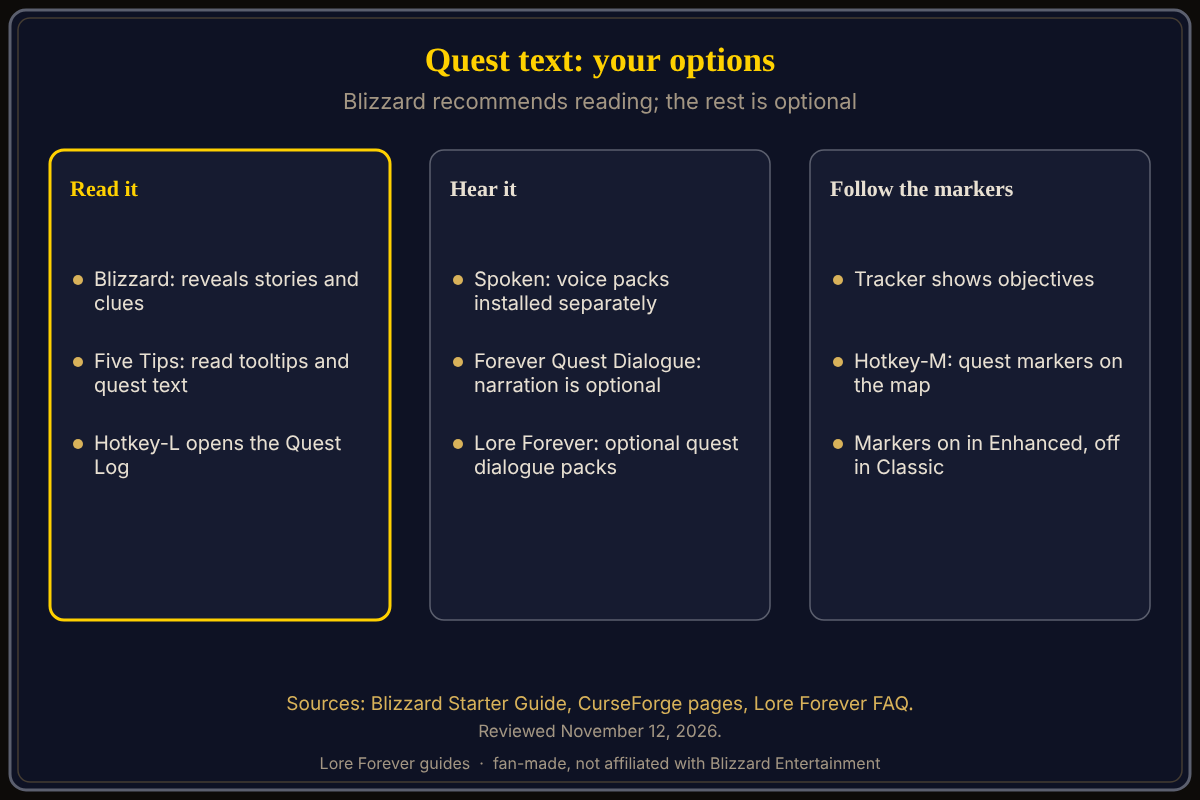
Quick answer: Reading is the way Blizzard recommends, and its Five Tips list says to read tooltips and quest text. If you would rather skip it, the quest tracker, map markers and minimap point you to objectives. If you would rather listen, several add-ons voice quests; they are optional.
Key facts
- Blizzard's advice: read quest text when you can; it gives stories and clues
- What shows without reading: accepted quests add objectives to the on-screen tracker automatically
- Where to look: Hotkey-L opens the Quest Log; Hotkey-M opens the world map with quest markers
- Hearing quests: optional add-ons only; none are required
Does Blizzard say you should read quest text?
Yes, in two places. The Starter Guide says to take time to read the quest text when you can, and its Five Tips for Your First Adventure begin with reading ability tooltips and quest text, because both teach you how the world works. The same guide also says there is no need to hurry and no single correct way to play.
Can you skip the text and still finish quests?
Blizzard's guide says an accepted quest adds its objectives to your screen, tracked quests show current progress, and the world map shows quest markers and highlighted objective areas while the minimap points toward nearby objectives. The Experience preset matters here: Blizzard lists quest points of interest and objective blobs as on in Enhanced and off in Classic. You can change that later under Game Menu > Options. For the quest log itself, see quests and the quest log.
Skipping has a cost Blizzard names: the text often holds clues. When a quest stalls, reread it, or try the stuck-quest steps.
Can you listen to quests instead?
Several add-ons exist, and each describes itself on its CurseForge page as of November 12, 2026:
- Spoken: its page says quest dialogue, NPC gossip, zone lore and books are read aloud with expressive voices; the voices are not included, so you install a voice pack for each part you want to hear, or the add-on stays silent
- Forever Quest Dialogue (listed as WoW F Quest Dialogue): a readable quest and NPC window with optional narration; its page says narration is off by default, it falls back to the game's text-to-speech when no recordings are installed, and holding Shift while opening a conversation bypasses its window
- Forever Voiceover: its page now says the project is not continuing and tells readers to download Spoken instead
The free Lore Forever add-on handles this differently: its FAQ says, as of November 11, 2026, that the main download has quest givers' voices for the six starting zones, that other zones use optional packs, that you can turn quest voices off with Speak quest dialogue in Options, that Lore Forever steps aside when Spoken or another add-on already reads your quests, and that the play button next to Lore on the quest window plays a quest when you ask. For a side-by-side comparison, see quest voice add-ons and Lore Forever vs Spoken.
Which should you choose?
That is your call, and the sources do not rank them. Blizzard recommends reading; add-on authors describe listening as an option. A reasonable test is to read the first few quests in your starting zone, then decide whether you want voices. If you add one, check that only one add-on is speaking your quests.
What is not confirmed yet
- Which add-on sounds best: that is taste, not a fact; test in game
- Voice pack coverage: Forever Voiceover's page says quest text lives on the server, so packs only cover lines someone has seen with the add-on running
- Menu labels: they are as each page spells them and may differ in your game
Frequently asked questions
Is quest text important for the story?
Blizzard says it reveals more of the stories in the area.
Do I need an add-on to hear quests?
No. All of them are optional.
Can Lore Forever read quests aloud?
Its FAQ says yes, through its quest dialogue packs and the Speak quest dialogue option in Options. Check that option in game, because add-on settings can change.
Can I mix two quest voice add-ons?
Forever Quest Dialogue's page says it suppresses Spoken's automatic narration while enabled; otherwise check that only one add-on speaks your quests.
Where do I see all my quests?
Press Hotkey-L for the Quest Log, per Blizzard.
Sources
Reviewed November 12, 2026. Lore Forever is fan-made and is not affiliated with Blizzard Entertainment.
- Blizzard: New Player's Starter Guide
- Spoken on CurseForge
- Forever Quest Dialogue on CurseForge
- Forever Voiceover on CurseForge
- Lore Forever FAQ
Related guides: Willo, first hour guide, Lore Forever add-on guide.