Guide ·
Emotes and Slash Commands in WoW Forever for New Players
In World of Warcraft: Forever (WoW Forever), you use an emote by typing a slash command such as /wave, /cheer, /dance or /thank in chat and pressing Enter, and you can type /emote followed by your own action for a custom text emote. That comes straight from Blizzard's New Player's Starter Guide; the longer command list below comes from Warcraft Wiki, which describes modern WoW. I read both on November 12, 2026.
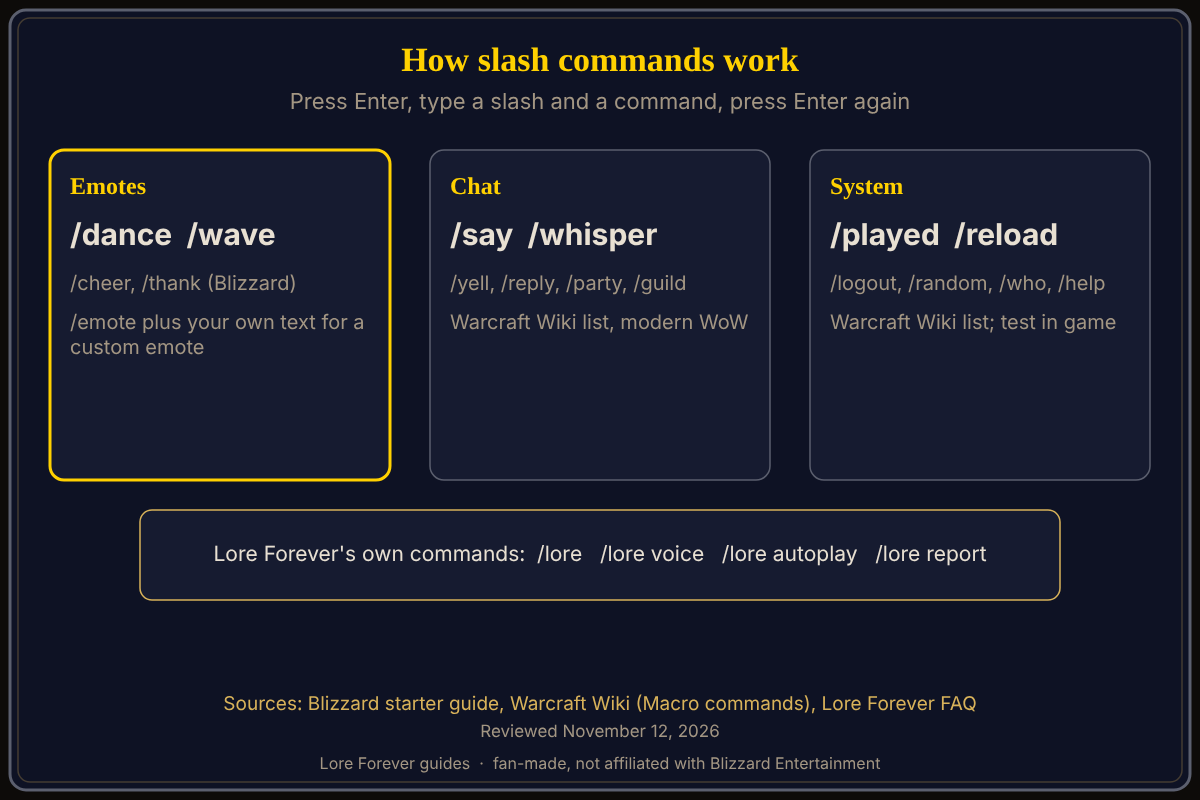
Quick answer: Press Enter to open chat, type a slash and a command, and press Enter again. Blizzard names /wave, /cheer, /dance, /thank and /emote. Warcraft Wiki's list for modern WoW adds chat commands like /say, /yell, /whisper, /party and /guild, and system commands like /played, /logout, /reload, /random and /who. I did not find a Forever page that lists them, so test each one in game.
Key facts
- Emotes Blizzard names: /wave, /cheer, /dance, /thank
- Custom emote: /emote followed by your action (Blizzard)
- Command names: not case sensitive (Warcraft Wiki, modern WoW)
- Wiki list: chat, character, party, system and many more emotes, written for modern WoW
How do I use an emote in WoW Forever?
Type a slash command in chat and press Enter, says Blizzard. Its examples are /wave, /cheer, /dance and /thank. Warcraft Wiki's emote list for modern WoW also includes /bow, /laugh, /hello, /bye, /sit and /sleep, among many others. It marks some emotes as having sound or a unique animation. For sitting by a campfire, see how to sit and sit near a campfire.
What is /emote for?
Blizzard says that if you type /emote followed by your own action, you create a custom text emote. Warcraft Wiki describes /emote the same way: it performs an emote with the text you give it. The result is a line of text in chat that other nearby players can read, which suits roleplay. See the rulesets guide if you are choosing a Roleplay ruleset.
Which chat commands should a new player know?
From Warcraft Wiki's modern list: /say sends a message to players near you, /yell to everyone in your zone, /whisper to one player, /reply answers the last person who whispered you, /party and /guild reach your party and guild. /afk and /dnd mark you away or busy. Our chat channels guide covers channels. I did not confirm that every one of these works the same in Forever, so test them.
Which system commands are useful?
The wiki lists /played (information about your character's time logged in), /logout (back to character selection), /reload (reloads the user interface), /random (rolls a number from 1 to 100, or up to a number you give), /who (a list of people matching filters) and /help (a help message with basic commands). The Lore Forever FAQ also tells Willo users to type /reload in game after changing a key, so /reload is at least used in Forever.
What about /pvp?
Warcraft Wiki says /pvp sets whether other players can attack you. How that interacts with Forever's Normal ruleset, where Blizzard says player-versus-player combat is available at your discretion, is not confirmed in a source I read. Check in game and see rulesets for beginners before you try it.
What are the Lore Forever commands?
The free Lore Forever add-on has its own commands: /lore opens it, /lore voice is where you pick narration voices, /lore autoplay turns narration on arrival on or off, and /lore report flags a wrong answer, per its FAQ. See the slash commands explained.
What is not confirmed yet
- Forever's full command list: the long list is Warcraft Wiki's, for modern WoW
- /pvp, /help and /played: not checked in Forever; try them on a test character
- Emote sounds: the wiki's sound and animation markers describe modern WoW
Frequently asked questions
How do I dance in WoW Forever?
Type /dance in chat and press Enter, per Blizzard's starter guide.
How do I type a custom emote?
Type /emote and then your action, for example a short phrase, and press Enter.
Are slash commands case sensitive?
Warcraft Wiki says command names are not case sensitive.
How do I whisper someone?
Warcraft Wiki lists /whisper for a private message and /reply for the last person who whispered you.
How do I see how long I have played?
Warcraft Wiki says /played shows information about your character's time logged in; confirm in Forever.
Related guides: movement controls, macros and keybinds and first hour guide.
Sources
Reviewed November 12, 2026. Lore Forever and Willo are fan-made and are not affiliated with Blizzard Entertainment.