Guide ·
How to Read Item Colors and Compare Gear in WoW Forever
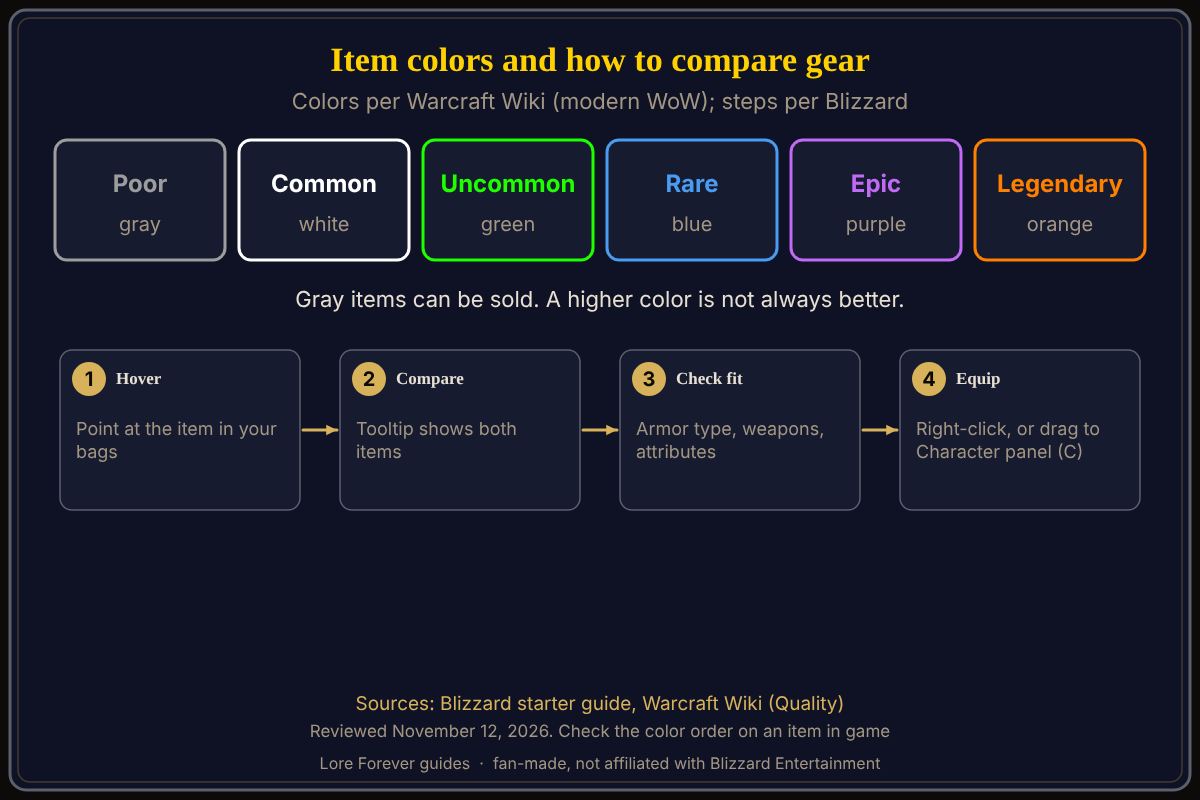
In World of Warcraft: Forever (WoW Forever), the color of an item's name shows its quality: Warcraft Wiki's list for modern WoW runs gray, white, green, blue, purple and orange, and Blizzard's starter guide says gray items can be safely sold. To see whether a new item beats what you wear, hover over it in your bags and read the comparison tooltip. I read Blizzard's guide and Warcraft Wiki on November 12, 2026.
Quick answer: Blizzard says gray-quality items have no further use and can be sold to a vendor. Warcraft Wiki, which describes modern WoW, lists the order as Poor (gray), Common (white), Uncommon (green), Rare (blue), Epic (purple) and Legendary (orange). Blizzard also warns that a higher-quality item is not always the best choice: check armor type, weapon compatibility and the attributes your class uses.
Key facts
- Colors: Poor gray, Common white, Uncommon green, Rare blue, Epic purple, Legendary orange (Warcraft Wiki, modern WoW; check in game)
- Gray items: safe to sell to a vendor (Blizzard)
- Compare: hover an item in your bags; if it can replace worn gear, the tooltip shows both (Blizzard)
- Equip: right-click it, or drag it onto the matching slot in your Character panel (Blizzard)
- Character panel: C, per Blizzard's starter guide
What do the item colors mean in WoW Forever?
Warcraft Wiki says quality, also called rarity, is a rating shown by the item's text color. Its list, written for modern WoW, goes gray (Poor), white (Common), green (Uncommon), blue (Rare), purple (Epic) and orange (Legendary). The wiki adds that quality affects the stat bonuses on equipment: in general a Poor or Common item has none, an Uncommon item has one or two, and a Rare or better item can have up to four. I did not find a Forever page that prints the color list, so treat the order as the wiki's and confirm it on an item in game.
Is a higher color always better?
No. Blizzard's guide says a higher-quality item is not always the best choice, so also check armor type, weapon compatibility and the attributes useful to your class. Warcraft Wiki's tips say the same thing in its own way: the item's level matters, and an item with bonuses that do nothing for your class is no upgrade. A green piece that fits your class can beat a blue one that does not.
How do I compare gear?
- Open your bags and hover your mouse pointer over the item.
- Read the tooltip. Blizzard says that when the item can replace equipped gear, the comparison shows both items, so you can review armor, damage, attributes, level requirements and other effects.
- If it looks better, right-click it, or drag it onto the matching slot in your Character panel.
- Press C to open that panel and review what you are wearing.
The free Lore Forever add-on's Downloads page lists item stories in its larger narration downloads, so you can also hear the story behind some items. Check the page for what each download contains.
What can I sell, and what should I keep?
Blizzard says items with gray-quality names have no further use and can be safely sold to a vendor. Right-click a merchant, then right-click an item in your bags to sell it. If you sell something by mistake, the Buyback tab is there until you leave. For everything that is not gray, Blizzard says the tooltip is the best place to start. Our what to keep or sell page goes further, and bags and bank covers storage.
What is not confirmed yet
- Forever's color list: the colors come from Warcraft Wiki's modern WoW page; I did not find a Forever page that lists them
- Where each quality drops in Forever: I did not check drop rates and give none
- Tooltip warnings: I did not find a source for what unusable-item text looks like, so check the tooltip itself
Frequently asked questions
What color are the best items in WoW Forever?
On Warcraft Wiki's modern list, orange Legendary sits above purple Epic. Whether Forever matches is not confirmed by a Forever page I read.
Can I sell gray items?
Yes. Blizzard says gray-quality items can be safely sold to a vendor.
How do I put on a new piece of armor?
Right-click it in your bags or drag it onto the matching slot in your Character panel, per Blizzard.
How do I open my Character panel?
Press C, per Blizzard's starter guide.
I sold something by mistake. Can I get it back?
Check the Buyback tab before leaving the vendor, per Blizzard.
Related guides: best gear, first hour guide and the Lore Forever add-on.
Sources
Reviewed November 12, 2026. Lore Forever and Willo are fan-made and are not affiliated with Blizzard Entertainment.