Guide ·
How to Use the Map and Minimap in WoW Forever
To use the map in World of Warcraft: Forever (WoW Forever), press M to open the world map, look for quest markers and highlighted objective areas, and keep an eye on the minimap in the corner of your screen, which points toward nearby objectives. Blizzard's New Player's Starter Guide describes this, read on November 12, 2026.
Quick answer: Blizzard's starter guide says to press Hotkey-M for the world map, which I read as the default M key. The map shows quest markers and highlighted objective areas for tracked quests, and the minimap points you toward nearby objectives. After you die, the same guide says to follow the corpse marker on the minimap or open the map to find your body. Whether quest markers show at all depends partly on the Experience preset you picked at first login.
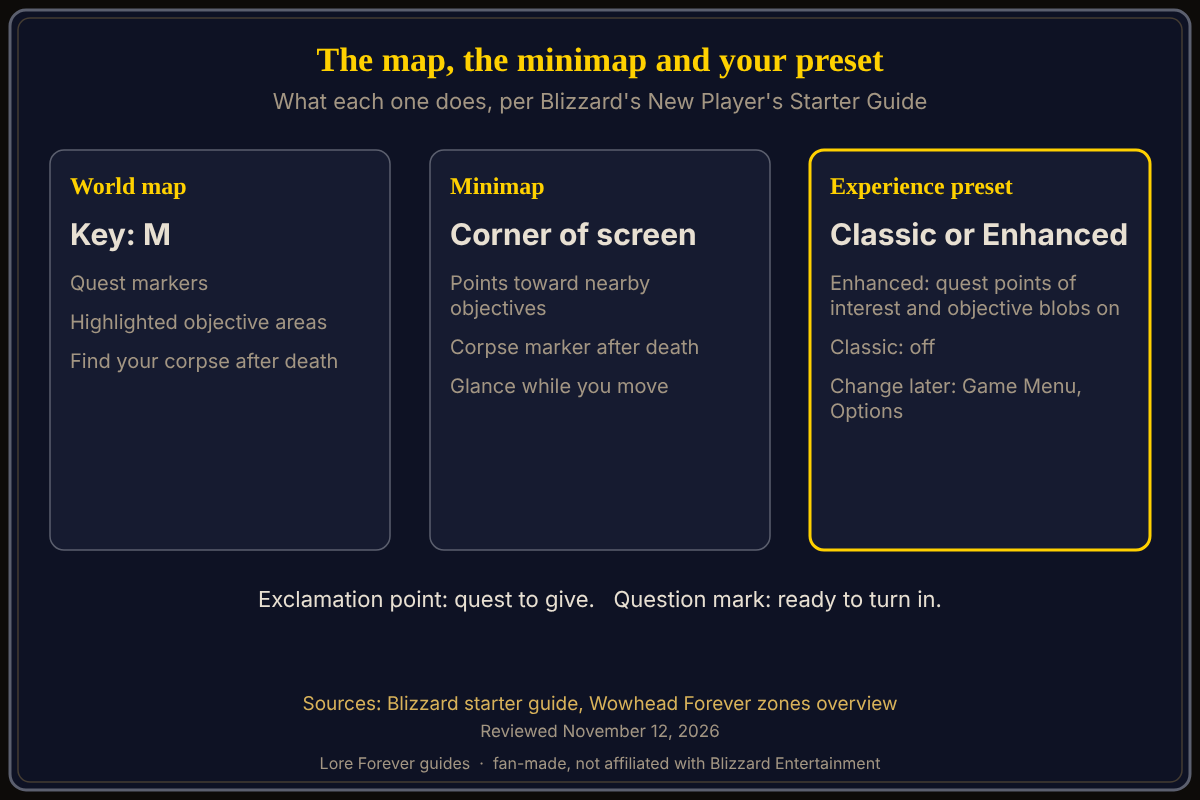
Key facts
- World map key: M (Blizzard writes "Hotkey-M"; check your own binding)
- On the map: quest markers and highlighted objective areas
- On the minimap: it points toward nearby objectives and shows your corpse marker after death
- Presets: Enhanced turns quest points of interest and objective blobs on, Classic turns them off
- Changing it later: Game Menu, then Options, per Blizzard
How do I open the map in WoW Forever?
Press M. Blizzard's starter guide writes "Hotkey-M" and says this opens the world map with quest markers and highlighted objective areas. If the key does nothing, you may have rebound it. Our default keybindings and how to change keybinds pages cover the rest of the keys.
What do the quest markers and highlighted areas mean?
Blizzard's guide says an exclamation point above a character means a quest to give, and a question mark means one is ready to turn in. Once you accept a quest, it joins your Quest Log and tracked quests show objectives and progress on screen. The map then shows markers and highlighted areas for those objectives. If the tracker gets crowded, Blizzard suggests untracking quests you are not working on. See the quests and quest log guide.
How does the minimap help?
Blizzard says the minimap also points toward nearby objectives, so you can glance at it while you move. It also helps you find a body: Blizzard says to follow the corpse marker on your minimap, or open the world map to find it, then select Resurrect when your spirit is close enough. See death and corpse runs.
Why do I see no quest markers?
At first login Blizzard asks you to choose an Experience preset. The starter guide lists "quest points of interest and objective blobs" as on in Enhanced and off in Classic. If you chose Classic, a quieter map is the intended result. Blizzard says the preset is a starting point, and you can change settings later under Game Menu, Options. The Classic or Enhanced preset guide compares the two.
How do I find a trainer or a city?
For profession trainers, Blizzard says to ask a city guard for directions and follow the marker on your map. I did not find a source saying this works for every city service. For travel between regions, see the travel guide.
Where can I see maps of every zone?
Wowhead's Forever zones overview by Serenal (updated September 17, 2026) lists a World Map tool plus Kalimdor and Eastern Kingdoms zone maps, city maps and PvP maps. It also says Riverglades, a zone for levels 35 to 45, is reached by a new Steamwheedle boat route to Powderfuse Port.
What is not confirmed yet
- Exact option names: I could not open the game, so I cannot tell you which checkbox hides objective blobs under Options; look under Esc, Options
- Classic preset and the tracker: not stated whether the on-screen tracker still lists objectives
How can the Lore Forever add-on and Willo help with the map?
The free Lore Forever add-on narrates the story of the zones, places and people you pass, which helps when a map name sounds interesting. It is fan-made, has no internet access, and its narrators are generated voices. Willo is a separate companion app for Windows 10 or 11 and Apple Silicon Macs (macOS 12 or later) per her page; the Lore Forever FAQ says Windows and Mac. She is free to start with 50 answers a day, and her page says you can ask her to pin a spot, which lands on your journey map. She can be wrong; the in-game map is the source of truth.
Frequently asked questions
What key opens the map in WoW Forever?
M, according to Blizzard's New Player's Starter Guide.
How do I find my body after I die?
Follow the corpse marker on the minimap or open the map, per Blizzard, then select Resurrect when your spirit is close enough.
Why is my minimap not showing quest areas?
Quest points of interest and objective blobs are off in the Classic preset and on in Enhanced, per Blizzard. You can change settings in Options.
Where can I see maps of whole zones?
Wowhead's Forever guide lists a World Map tool plus zone, city and PvP maps.
What do the exclamation and question marks mean?
An exclamation point means a quest to give; a question mark means one is ready to turn in, per Blizzard.
Related guides: first hour guide, first settings to change and interface settings guide.
Sources
Reviewed November 12, 2026. Lore Forever and Willo are fan-made and are not affiliated with Blizzard Entertainment.