Guide ·
How to Change Keybinds in WoW Forever (and Fix Not Saving)
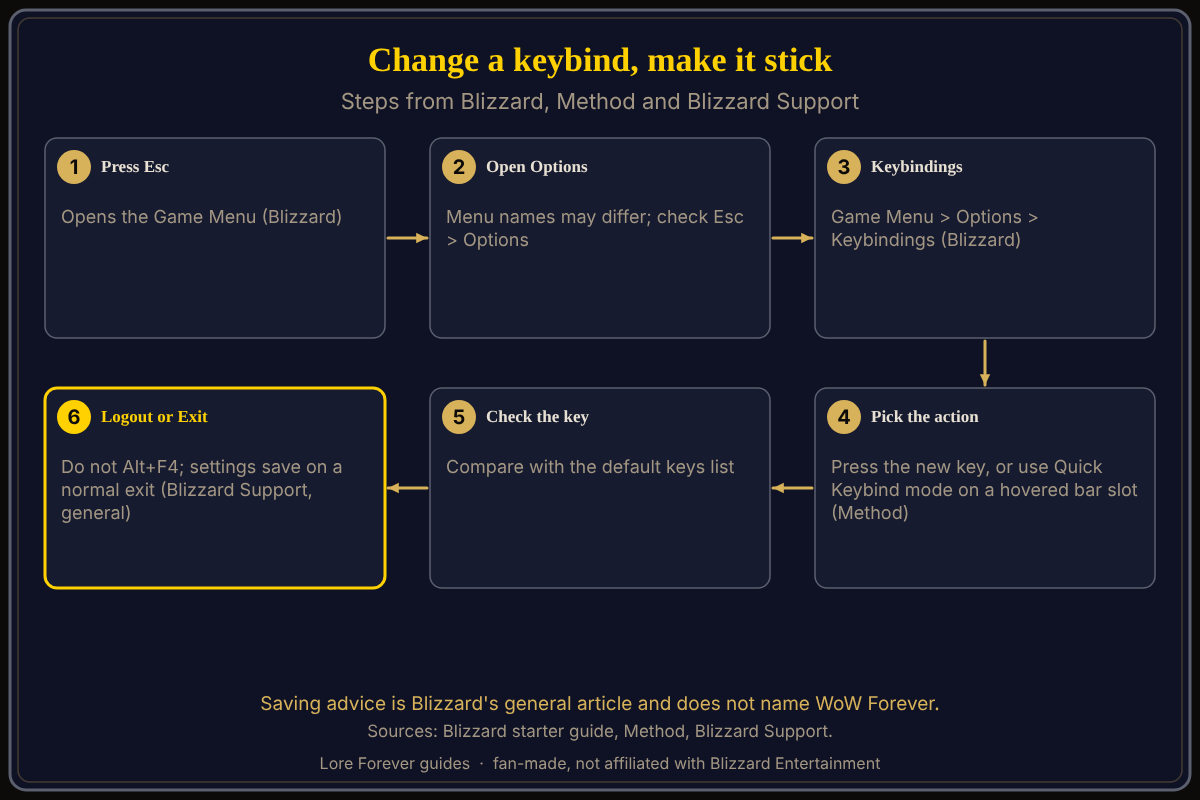
To change keybinds in World of Warcraft: Forever (WoW Forever), press Esc, choose Options, then Keybindings, according to Blizzard's New Player's Starter Guide. Method adds a Quick Keybind mode: hover over a slot on your action bar and pick the key. If keybinds will not save, Blizzard Support's general advice is to leave the game through Logout or Exit, not Alt+F4.
Quick answer: Esc, Options, Keybindings, pick the action, press the new key. Or use Quick Keybind mode and hover over an action bar slot. Leave with Logout or Exit so changes are written; Blizzard's saving advice is general and does not name WoW Forever.
A keybind is a promise between your fingers and your spells.
Key facts
- Path: Game Menu > Options > Keybindings (Blizzard starter guide, October 28, 2026)
- Quick Keybind mode: hover over an action bar slot, then select the key (Method, September 30, 2026)
- Extra bars: the Action Bar tab (Method)
- Saving: settings save when you close through the in-game menu; Alt+F4 can stop it (Blizzard Support, general article)
How do you change a keybind in WoW Forever?
Blizzard's starter guide says to assign or change a spell's key binding under Game Menu > Options > Keybindings. Press Esc to open the Game Menu, choose Options, then Keybindings. Select the action and press the key you want. Magic Game World, writing on November 4, gives the same route. The exact menu names may differ; check Esc > Options.
What is Quick Keybind mode?
Method's UI guide says the new Quick Keybind mode lets you hover over a space on your action bar and then select the key for it. For more bars, Method points to the Action Bar tab. It also lists separate keybinds for mouseover, self-cast and focus. For layout, see Edit Mode setup and macros and keybinds.
Why are my keybinds not saving in WoW Forever?
No Blizzard page I opened names WoW Forever for this problem. Blizzard Support's general article on missing keybindings says settings save when you close the game from the in-game menu, and that forcing it shut with Alt + F4 can prevent saving: it tells you to click Logout or Exit. The same article says read-only game files can block saving and describes clearing the Read-only box on the WTF folder (Battle.net Options, Show in Explorer). It also says Support cannot help with key-binding configuration; the game forums can. A second Blizzard Support article blames Windows permissions and suggests the default install folder, security software exclusions and checking add-on managers that sync settings.
A player thread dated October 30, 2026 describes custom binds reverting after a relog, with no Blizzard reply. One reply suggests checking the character-specific keybindings option and logging out with /camp or /logout, and says the file that stores keybindings is uncertain. The thread names no game version, and the poster did not say whether that worked.
Do I need to reload after changing settings?
Mobalytics (updated November 3) advises typing /reload in chat if anything gets stuck, so that changes are saved. That is the guide's own advice, not Blizzard's. Whether keybinds carry over from the beta is not confirmed.
What is not confirmed yet
- Whether Esc > Options > Keybindings has a reset-to-default button; no source I opened says.
- Whether the general Alt+F4 and read-only advice fixes WoW Forever.
- A single-character versus all-characters option: Warcraft Wiki describes one for modern WoW, not confirmed for WoW Forever.
- Add-on tools: BindPad Forever's CurseForge page lists the Forever version (updated October 7); I did not test it.
How can the Lore Forever add-on and Willo help with this?
If the menu confuses you, ask Willo out loud, for example "how do I change a keybind". She answers from what she knows, can be wrong, is not official, and does not change settings for you; the in-game menu is the source of truth. She is free to start with 50 answers a day, a separate companion app for Windows 10 or 11 and for Apple Silicon Macs (macOS 12 or later) according to her page and both FAQs, though CurseForge's add-on page still calls her a Windows app. The free Lore Forever add-on has no internet access. Both are fan-made and not affiliated with Blizzard.
Frequently asked questions
How do I open the keybindings menu in WoW Forever?
Esc, Options, Keybindings, per Blizzard's starter guide.
What is Quick Keybind mode in WoW Forever?
Method says it lets you hover over an action bar slot and then select the key to bind.
Why do my WoW Forever keybinds reset?
Blizzard Support's general advice is to exit through Logout or Exit, not Alt+F4, and to check that the WTF folder is not read-only. This is not confirmed for WoW Forever.
Can I bind keys to mouse buttons?
Magic Game World lists Mouse Button 4 as an auto-run key; other mouse binds are not confirmed. See mouse settings.
Do I need an add-on to change keybinds?
No. Keybindings are built in; see default keybindings.
Sources
Reviewed November 5, 2026. Lore Forever and Willo are fan-made, not affiliated with Blizzard Entertainment.