Guide ·
Do You Need Add-ons to Play WoW Forever? What Works Without
You do not need add-ons to play World of Warcraft: Forever (WoW Forever): Blizzard's starter guide walks you through the game using only its built-in preset, quest tracker, map markers and key binding options, and never says you need an add-on, as of November 11, 2026.
Quick answer: Skip add-ons on your first day. Pick the Enhanced preset if unsure, learn the Options menu, and add one add-on at a time later if something annoys you. I found no official list of approved add-ons.
Related: best add-ons, how to install add-ons, first settings to change, interface settings, UI Edit Mode.
Key facts
- Required add-ons: none mentioned in Blizzard's starter guide, which covers play using the built-in tools
- Presets: Classic or Enhanced at first login, changeable later under Game Menu > Options (Blizzard)
- Interface: Polygon calls it friendlier and modernized
- Add-ons are allowed: Forever loads them like any WoW client (Lore Forever FAQ)
What does the base game already give you?
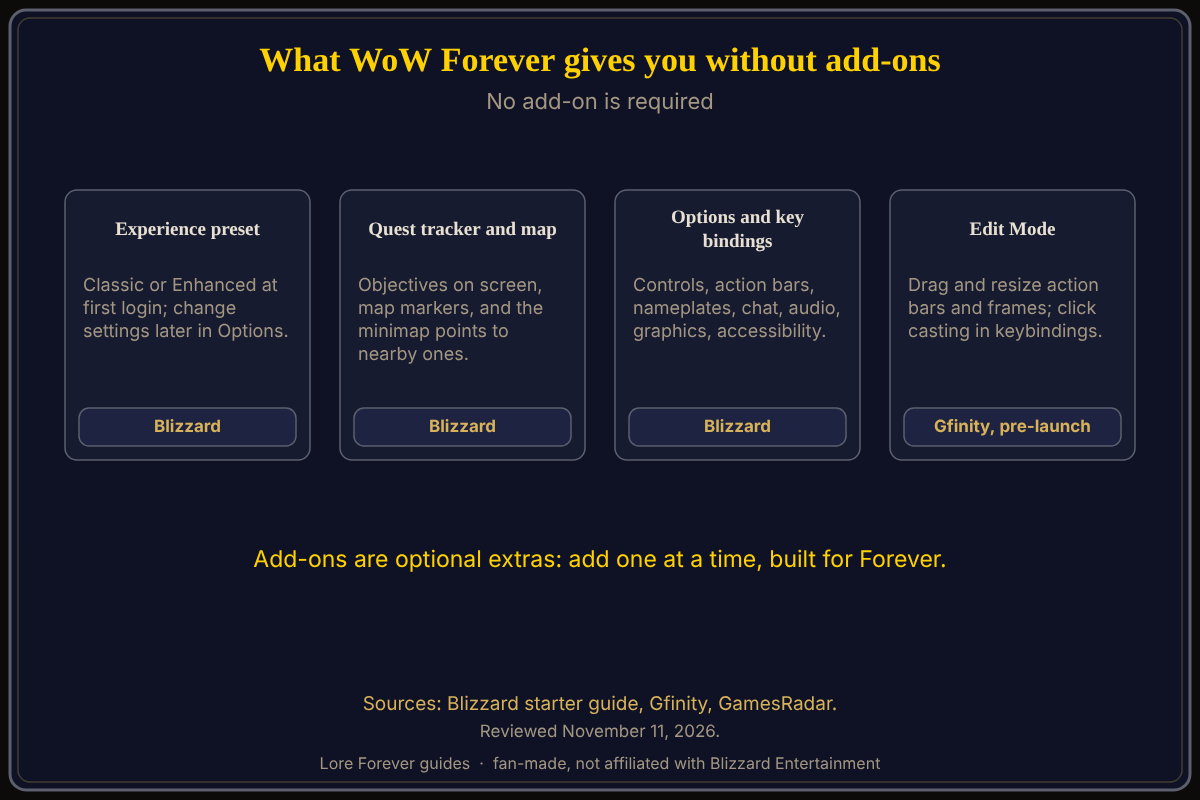
Blizzard's New Player's Starter Guide says the first time you log in you choose an experience preset. Enhanced turns on quest points of interest and objective blobs, the one-bag option and transmog, and uses a centralized screen layout; Classic leaves those off for a more original feel. Blizzard says to start with Enhanced if unsure and that the preset does not lock you in.
Quests show objectives automatically on screen, the world map shows quest markers and the minimap points toward nearby objectives, per the same guide. Press Escape, then Options, to adjust controls and key bindings, action bars, nameplates, chat, audio, graphics and accessibility. Gfinity's pre-launch guide, written before release, adds that Escape also opens Edit Mode, where you can drag and resize action bars and frames, and that click casting and mouseover live in the keybindings menu.
What can an add-on change?
Mostly convenience. GamesRadar, quoting a Kotaku interview, reports that Blizzard designers Tim Jones and Mike Nuthals said Forever will not allow "computational add-ons", such as ones that automate marking or communicating. A Blizzard forum thread by a player says the default UI already has a Cooldown Manager, and Gfinity's pre-launch guide lists Cooldown Managers in Edit Mode. Our own best add-ons guide adds that a built-in damage meter was reported as coming, citing Game Informer; I could not verify that, and it is not a promise about any one add-on. Gfinity says Classic-era add-ons will not load and authors must rebuild them.
The free Lore Forever add-on is entirely optional: it narrates the story of zones, quests and NPCs, and the game plays fine without it.
How do you try one safely?
Our best add-ons guide suggests installing one at a time, using only builds made for Forever, and keeping a backup of your settings; Gfinity likewise says to pick add-ons made for Forever. Lore Forever's FAQ adds a warning that applies to its own install: the CurseForge app can still install into an old beta folder the game no longer reads, while Forever loads add-ons from its own _forever_ folder. If an add-on does not appear, see add-ons not showing up.
Which add-ons does this page recommend?
None. Naming one would be my own ranking, and I opened no current compatibility list. See add-ons for leveling and ElvUI and WeakAuras status for what each page reports.
What is not confirmed yet
- Third-party compatibility: I did not check any add-on's page for Forever
- Built-in tools: the damage meter is unverified; the Cooldown Manager comes from a player post and Gfinity, not a Blizzard page
- Blizzard statements: the add-on restriction comes from press coverage of an interview; I found no Blizzard page listing approved add-ons, which is not proof none exists
- Edit Mode path: from a pre-launch outlet; check Escape in game
Frequently asked questions
Do you need add-ons to play WoW Forever?
No. Blizzard's starter guide plays through the built-in tools and never says you need one.
Does WoW Forever allow add-ons?
Yes, per the Lore Forever FAQ, which says Forever loads them from its AddOns folder.
What should I change before installing anything?
Your preset and key bindings under Options, per Blizzard.
Will my old Classic add-ons work?
Gfinity says Classic-era add-ons will not load as they are; look for a Forever build.
Is Lore Forever required?
No. It is an optional, free, fan-made add-on.
Sources
Reviewed November 11, 2026. Lore Forever is fan-made and is not affiliated with Blizzard Entertainment.
- Blizzard: New Player's Starter Guide
- Polygon: 5 WoW Forever starter tips for every type of player
- Gfinity: WoW Forever UI and Addons Setup Guide
- GamesRadar, September 16, 2026: Blizzard confirms add-on restrictions in WoW Forever (gamesradar.com, quoting a Kotaku interview)
- Blizzard forums: WoW Forever and Addon restrictions
- Lore Forever FAQ
Related guides: Lore Forever add-on guide, how to install Lore Forever.