Guide ·
WoW Forever Nameplates and Target Settings: Keys and Menus
In World of Warcraft: Forever (WoW Forever), V toggles enemy nameplates and Shift+V toggles friendly ones, according to Method's interface guide, and the rest live in Esc, then Options, in a Nameplates section. Method also says Target of Target is off by default and sits in the Combat settings. WoW Forever launched on November 4, 2026.
Quick answer: Press V for enemy nameplates and Shift+V for friendly ones. Open Esc > Options > Nameplates for names and Always Show Nameplates, and the Combat settings for Target of Target. Resize the target frame in Edit Mode, opened from the Esc menu.
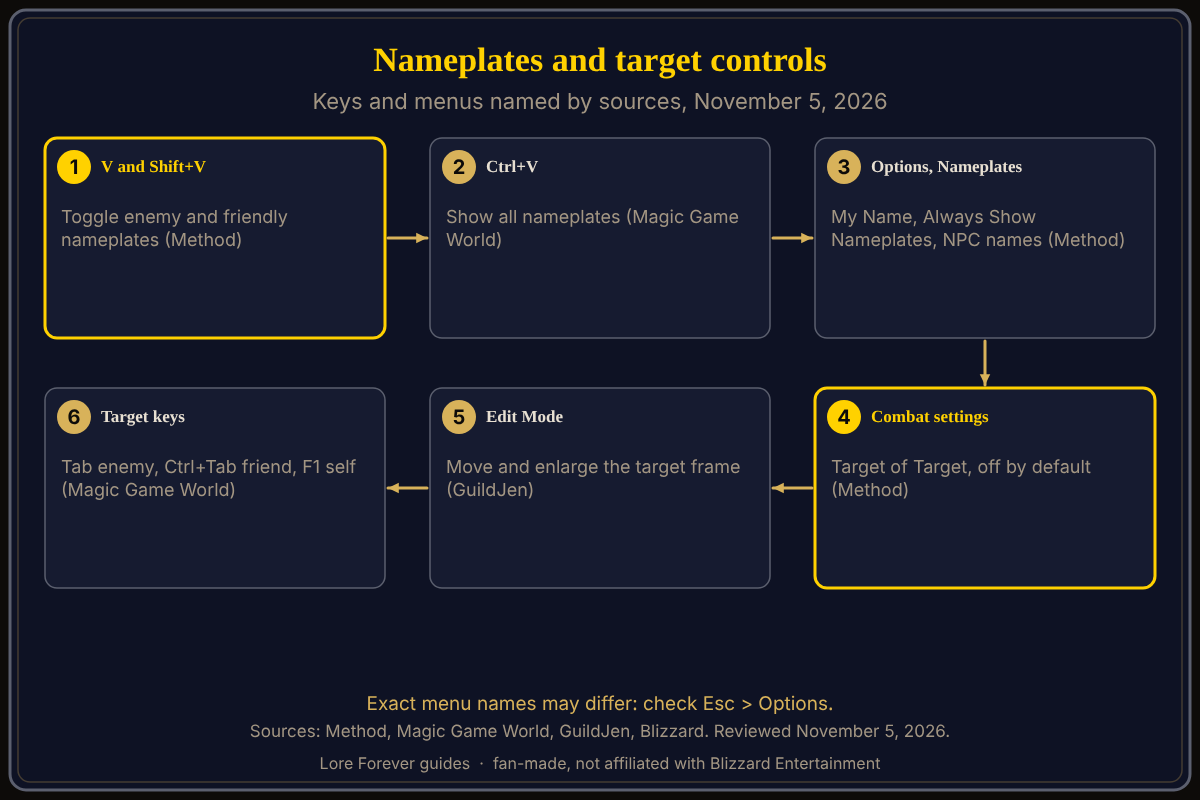
Key facts
- Enemy and friendly keys: V and Shift+V (Method; Magic Game World, November 4)
- Show all: Ctrl+V (Magic Game World; Warcraft Wiki says the same for modern WoW's Always Show Nameplates)
- Options section: Nameplates holds My Name, Always Show Nameplates and NPC names, moved from Interface (Method)
- Second name: Options > Nameplates > My Secondary Name hides it, though it still appears in chat (Blizzard Starter Guide)
- Target of Target: off by default, in Combat (Method)
- Target keys: Tab nearest enemy, Ctrl+Tab nearest friend, F1 self (Magic Game World)
How do I turn on nameplates in WoW Forever?
Press V for enemy nameplates or Shift+V for friendly ones; Method lists both as toggle keys, and Magic Game World gives the same pair plus Ctrl+V for all. For a permanent setting, Method says Always Show Nameplates is in the Nameplates options. GuildJen suggests enemy plates for questing or larger PvP, allied plates for healers, and says plates can be left on or toggled by key. It also names Stack Nameplates, which separates clumped plates.
What does the Options > Nameplates menu hold?
Blizzard's starter guide lists nameplates among the Options categories and names My Secondary Name, tied to the two-name system. Method says Blizzard's customizable options, including aggro options and styles, sit further down the list. GuildJen describes Names choices such as Hostile or Quest NPC names only, or Enemy Players only. Mobalytics adds Highlight Important Casts.
How do I show Target of Target?
Method says the Combat tab is where you turn on Target of Target, off by default, and that tanks and healers will especially want it to see who has threat. Mobalytics (updated November 3) says it also helps you see who allies and enemies are focusing. It is one of the first settings to change.
How do I move or enlarge the target frame?
Press Esc and choose Edit Mode (GuildJen and AllThingsHow also list a right-click on your character portrait). GuildJen says to select the Player/Target Frame, enlarge it and move it; it found enemy names hard to read at default size. See our Edit Mode guide.
What has Blizzard said about nameplate changes?
Blizzard's beta development notes thread, in the September 24 build entry, lists "Updated the Nameplate selection display" under User Interface. I could not confirm any later nameplate change from a page I opened, so I make no claim about launch-day fixes.
What is not confirmed yet
- I found no Blizzard page listing every Forever nameplate option; names above come from outlets and may differ.
- Sticky targeting is disputed: GuildJen says keep it on, while Mobalytics says turning it off lets you deselect by clicking the ground.
- LepreStore (updated November 2) warns not to stack a nameplate replacement addon before checking what the game already includes; whether any such addon works in Forever was not checked here.
How can the Lore Forever add-on and Willo help with this?
If a menu is hard to find, ask Willo out loud, for example "where do I turn on enemy nameplates"; she is free to start with 50 answers a day and can be wrong, so check Esc > Options. She does not change settings. She is a separate companion app: her page lists a Windows 10 or 11 download and an Apple Silicon Mac download (macOS 12 or later), and her FAQ and the Lore Forever FAQ now say Windows and Mac, though CurseForge still describes her as a Windows app. The free Lore Forever add-on adds a one-line story to NPC and mob tooltips. Both are fan-made, not affiliated with Blizzard; the add-on has no internet access. More keys: default keybindings and macros and keybinds.
Frequently asked questions
What key shows enemy nameplates in WoW Forever?
V, per Method and Magic Game World.
What key shows friendly nameplates?
Shift+V.
How do I turn on Target of Target?
In the Combat settings; Method says it is off by default.
Where do I change the target frame size?
In Edit Mode, from the Esc menu, per GuildJen.
Can I hide my second name?
Blizzard's starter guide says Options > Nameplates > My Secondary Name hides it, though it still appears in chat.
Sources
Reviewed November 5, 2026. Lore Forever and Willo are fan-made and are not affiliated with Blizzard Entertainment.