Guide ·
How to Add and Order Voices in Lore Forever
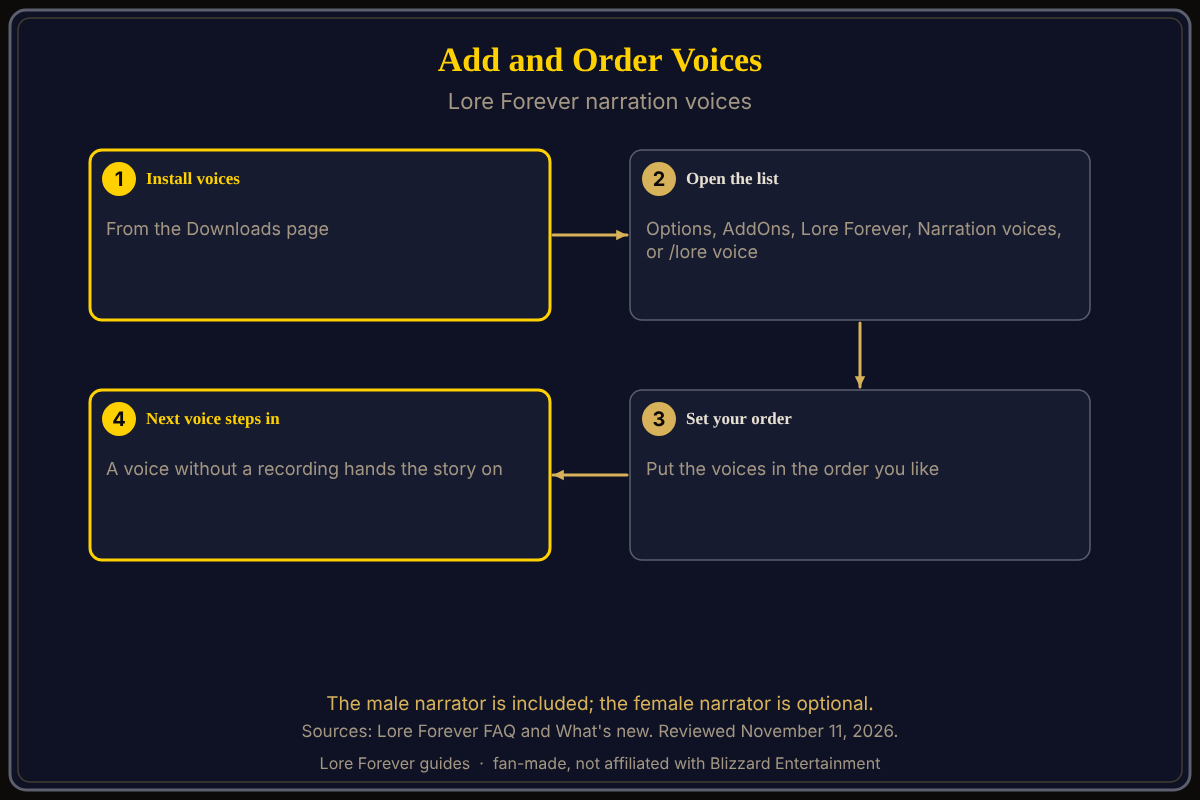
To add and order voices in Lore Forever, install the voices you like from the Downloads page on loreforeverwow.com, then open Options > AddOns > Lore Forever > Narration voices in game, or type /lore voice, and put them in your order. A voice that has not recorded a story hands it to the next one. This follows the add-on's FAQ and What's new page as of November 11, 2026.
Quick answer: Download extra voices, open /lore voice, order them. The male narrator comes in the main download, the female narrator is optional, and voices recorded by other players are real people.
Key facts
- Included: the male narrator, with the main download
- Optional: the female narrator, and voices recorded by players
- Where: Options > AddOns > Lore Forever > Narration voices, or /lore voice
- Fallback: a voice without a recording passes the story to the next
Which voices can you add?
The FAQ says the included male narrator and the optional female narrator are generated voices, not voice actors. Voices that other players record and share on Downloads are real people, and the FAQ invites you to record your own. The Downloads page offers the female narrator as one English stories zip, among smaller pieces. The narrator voices guide explains how they are made.
How do you add and order them?
- Install the voices you want from Downloads.
- In game, open Options > AddOns > Lore Forever > Narration voices, or type /lore voice.
- Put the voices in your order.
- Play a story with its Listen button to test the order.
Order matters because a voice that has not recorded a story hands it to the next one. The Downloads page lists each player voice with a place, such as Dun Morogh, so a player voice may not cover every story; keep another voice below it.
How do you see where a free voice would play?
What's new says a dimmed play button with a small gold arrow links the free download that voices that quest or story. Right-clicking hides them all. That feature arrived in the November 10 update.
Does order change when stories play?
No. Order picks who speaks. A zone's story plays by itself once per character on first arrival, which is Skip what you've heard in Options, on by default, and Listen replays it. Type /lore autoplay to change arrival narration.
What about quest dialogue?
Quest dialogue is a separate optional pack, adds about 16 hours, and starts off. Install a Quest Dialogue pack from Downloads and turn on Speak quest dialogue in Options. The FAQ advises skipping it if Spoken, Chatty Little NPC or another add-on already speaks your quests. See quest voice add-ons.
Can you use more than one voice at once?
Yes, in the sense of an order: the FAQ says to put your chosen voices in your order, and a voice that has not recorded a story hands it to the next. The FAQ does not say that two voices speak at the same time.
What is not confirmed yet
- The exact reorder controls: the FAQ says "put them in your order" and does not say how; check the screen
- Which voices cover which stories: the pages I opened do not list it
- Language packs: covered in the language packs guide
Frequently asked questions
How do I change the narrator?
Options > AddOns > Lore Forever > Narration voices, or /lore voice.
Is there a female narrator?
Yes, optional, per the FAQ; Downloads has it as an English stories zip.
Are the voices real people?
The included two are generated voices; player-recorded ones are real people.
Why does my story use a different voice?
The voice higher in your order has not recorded it, so it passed to the next.
Can I record a voice?
The FAQ invites you to; see its Record your voice link.
Sources
Reviewed November 11, 2026. Lore Forever is fan-made and is not affiliated with Blizzard Entertainment.
Related guides: Lore Forever add-on guide, slash commands, install guide.