Guide ·
WoW Forever Error BLZ51901016: Meaning and Fixes (Nov 5)
Error BLZ51901016 in World of Warcraft: Forever (WoW Forever) is a disconnect at login: Blizzard Support describes it as "Disconnected and now stuck at retrieving the realm list," caused either by a PC that misses the game's requirements or by a connection problem. Blizzard has no Forever-specific page for it. As of November 5, 2026, players report it in forum threads for both WoW Forever and modern WoW.
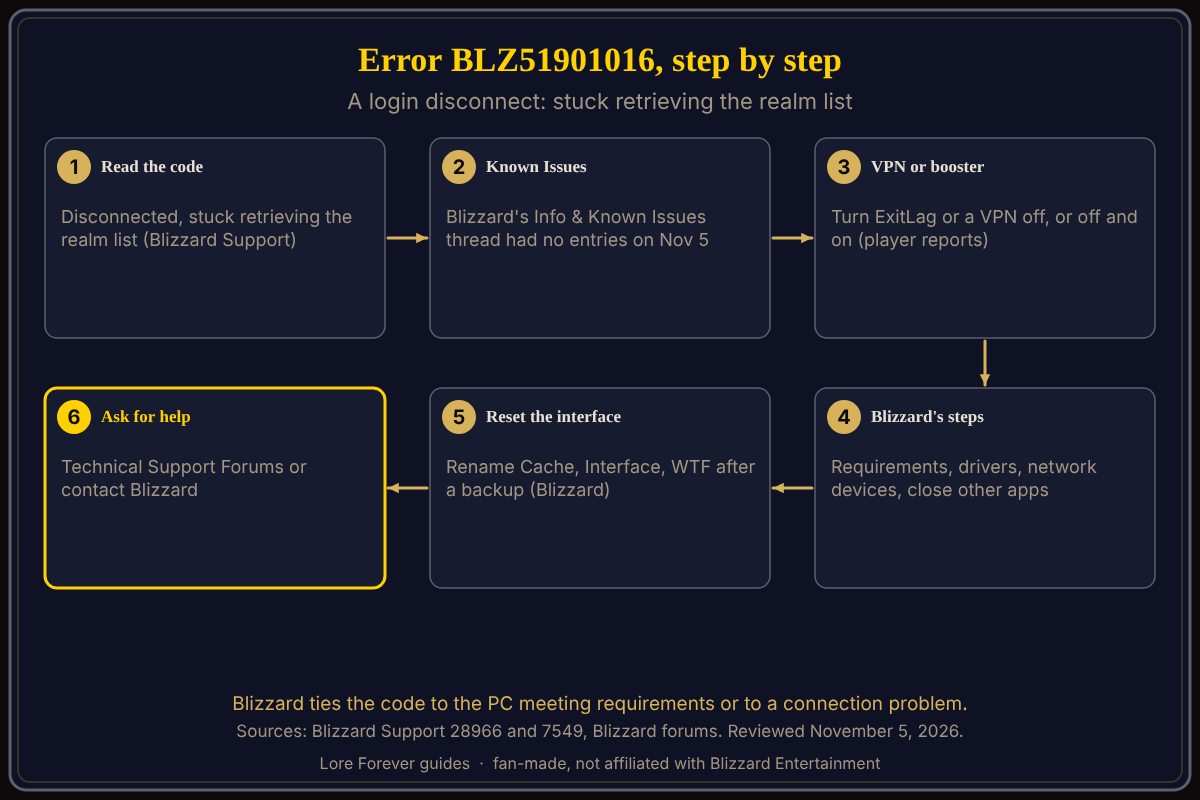
Quick answer: Check Blizzard's known-issues thread first, then turn any VPN or network booster (ExitLag, for example) off, or off and on, restart, and work through Blizzard's six general steps. The VPN fix is a player report, not Blizzard advice.
Key facts
- Code: BLZ51901016, "You have been disconnected," stuck retrieving the realm list (Blizzard Support article 000028966)
- Blizzard's stated causes: a PC below the requirements, or a connection problem (Blizzard Support)
- Launch-night reports: four US forum threads from 23:22 UTC on November 4; some posters also report modern WoW (Blizzard forums)
What does BLZ51901016 mean in WoW Forever?
Blizzard Support's article for the code says the error "occurs if your PC doesn't meet the system requirements for the game or if you are having a connection issue." The page's steps link requirements for Modern and Classic, not Forever. A 2019 Blizzard EU forum thread shows the same code at login, and US threads from the beta in September and October carry it too, so it is a general Blizzard code, not a Forever invention.
Why are players getting BLZ51901016 at launch?
On the Blizzard US forums, threads titled "Error BLZ51901016," "Can't connect BLZ51901016" and a third naming both Forever and modern WoW logins opened from 23:22 UTC on November 4. In the two I read, no Blizzard staff member had replied. One poster says it hits immediately at login; another says they are disconnected once they pick a realm. Several say it stops them entering modern WoW too. These are player reports; no source I opened says what is wrong at Blizzard's end.
How do I fix BLZ51901016?
- Check Blizzard's "World of Warcraft: Forever - Info & Known Issues" thread. When I read it on November 5, its Known Issues heading had no entries and the post had not been edited since November 4.
- Change your VPN state. One poster says turning ExitLag off fixed the error; another says they got in after turning a VPN on, and it stayed fixed when they turned it off again; a third says they got in with a VPN, while a fourth, who uses ExitLag, says it did not help. Treat this as a player experiment.
- Work through Blizzard's six steps: confirm your PC meets the requirements, update drivers and the operating system, reset the user interface, reset your network devices, improve a weak wireless connection, and close other applications.
- Reset the interface carefully. Blizzard's reset article says to rename the Cache, Interface and WTF folders after closing the game. It names the folders of the modern, Classic Era and Classic clients (_classic_era_ and _classic_ among them), not _forever_, and it does not say what you lose, so back up first. It also says to uninstall add-on managers beforehand. One poster who deleted those folders and repaired the game still got the error.
- If nothing works, Blizzard points to its Technical Support Forums or contacting support.
Is it my PC or Blizzard's servers?
Blizzard's wording allows both. Its Shop page lists WoW Forever's minimum as Windows 10 64-bit or macOS 12, 8 GB of RAM and an SSD with 128 GB free; see what you need to play. If you meet that and modern WoW fails too, the connection looks likelier, but that is inference. More launch messages are in launch day queues and errors; install trouble is in cannot install or download.
What is not confirmed yet
- Blizzard has not explained the code for Forever; its page is general.
- The VPN and ExitLag fix comes from a few forum posts; one thread shows it failing.
How can the Lore Forever add-on and Willo help with this?
Neither fixes a login error. Once you are in, the free Lore Forever add-on tells the story behind your quests and zone, and Willo answers "what do I do next?" by voice, free to start with 50 answers a day. Willo is a separate companion app: her page lists a Windows 10 or 11 download and an Apple Silicon Mac download (macOS 12 or later), and the Lore Forever FAQ says Windows and Mac, though CurseForge still calls her a Windows app. She can be wrong. Both are fan-made and not affiliated with Blizzard.
Frequently asked questions
What is error BLZ51901016 in WoW Forever?
A login disconnect that Blizzard Support ties to requirements or a connection problem.
Is BLZ51901016 a ban?
No source I opened says so.
Does a VPN fix BLZ51901016?
Some players say so; one says it did not. It is not Blizzard advice.
Does BLZ51901016 happen in modern WoW too?
Yes; several launch-night posters report it there too.
Has Blizzard fixed BLZ51901016?
Not as of November 5, 2026: the known-issues thread listed nothing when I read it.
Sources
Reviewed November 5, 2026. Lore Forever and Willo are fan-made and are not affiliated with Blizzard Entertainment.
- Blizzard Support: BLZ51901016, Resetting the WoW User Interface
- Blizzard forums: Forever and modern WoW login thread, Can't connect BLZ51901016, Info & Known Issues, 2019 EU thread
- Blizzard: Battle.net Shop requirements
- Willo