Guide ·
WoW Forever Target of Target and Focus Frame Settings
In World of Warcraft: Forever (WoW Forever), target of target is a toggle in the Combat tab of Options that Method says is off by default, and the sources reviewed describe focus targets as keybinds rather than a frame you drag.
Quick answer: Press Esc, open Options, choose Combat and switch on Target of Target. To rearrange frames, use Edit Mode from the Game Menu. No source opened here says where the focus frame sits or whether Edit Mode moves the target of target frame, so check in game.
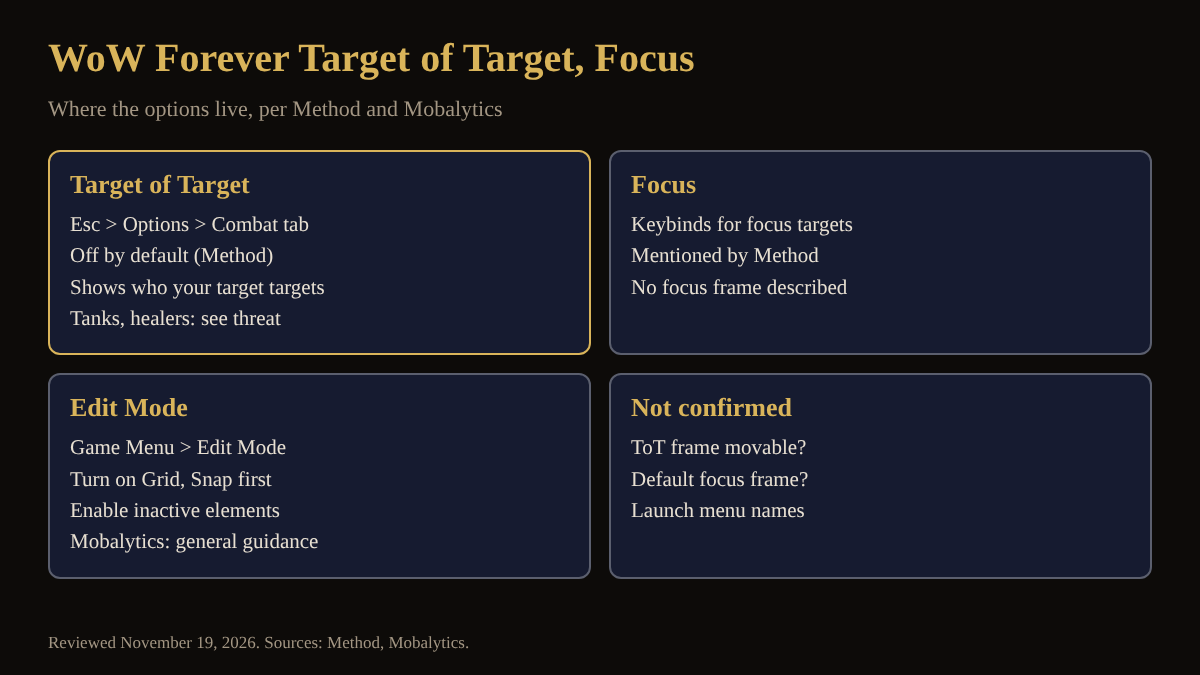
Key facts
- Target of Target: in the Combat tab of Options, turned off by default (Method's UI guide).
- Use: shows who your target is targeting, so tanks and healers can see who has a mob's attention (Method, Mobalytics).
- Focus: Method says mouseover and self-cast options also allow keybinds for focus targets.
- Edit Mode: Game Menu > Edit Mode; Mobalytics says to enable Grid and Snap to Elements first.
Where do I turn on target of target in WoW Forever?
Method says the Combat tab in Options is where you turn on Target of Target, and that it is off by default. Method also recommends the search box at the top right of Options. Mobalytics (updated November 3) calls it a toggle that helps you see who allies and enemies are focusing, which helps you grasp who is dealing damage, who needs help and where a raid is making mistakes. It adds that the toggle is also useful in a massive raid, so you can see who you are targeting.
Why would a tank or healer want target of target?
Method says tanks and healers especially will want it on to see who has threat of a mob. Neither guide says how it looks on screen or whether it can be dragged.
How do I set up a focus target in WoW Forever?
Method's guide describes new mouseover cast and self-cast options in the Combat tab: separate keybinds for spells that go to whoever your mouse is over, or to yourself, and it adds that you can also include keybinds for focus targets. It does not describe a focus frame, so whether Forever shows one by default is unconfirmed. Magic Game World's November 4 keybinding list does include Focus Target and Target Focus, both not bound by default, which shows focus exists as a keybind. For the keybind side see macros and keybinds and how to change keybinds.
Can I move these frames in Edit Mode?
Mobalytics says to open the Game Menu, select Edit Mode and turn on Grid and Snap to Elements first. For anything not currently active, enable it in HUD Edit Mode, then edit it. Neither guide names the target of target frame or the focus frame, and Gfinity Esports (September 24) lists only Action Bars, Player and Target Frames, Raid Frames and Cooldown Managers as examples. The target frame guide and Edit Mode setup guide cover the main target frame, and nameplates and target settings the neighbouring options.
What is not confirmed yet about these frames?
- Whether the target of target frame can be moved or resized in Edit Mode.
- Whether a focus frame exists by default, and what it is called in the menu.
- Menu names after launch: Method's guide is undated; Mobalytics was updated November 3.
How can the Lore Forever add-on and Willo help with target of target and focus frames?
Neither changes your interface, so the in-game menu stays the source of truth. The free, fan-made Lore Forever add-on tells the story of the creatures and places you target, and CurseForge says it covers every zone, city and dungeon up to level 30, plus Zephras Isle, the Hall of Thanes and the Ruins of Lordaeron, with place lore for the rest of the world. Recorded narration covers selected entries and the rest is text. Willo is a separate companion app, free to start with 50 answers a day.
Frequently asked questions
Where is target of target in WoW Forever?
In the Combat tab of Options, according to Method. It is off by default.
How do I turn on the focus frame in WoW Forever?
No source opened here describes a focus frame toggle. Method only mentions keybinds for focus targets, so check Esc > Options and Edit Mode.
Can I move the target of target frame?
Unconfirmed. Mobalytics and Method describe Edit Mode in general but do not name that frame.
Is target of target useful in a raid?
Method says tanks and healers especially will want it to see who has threat of a mob. Mobalytics says it also helps in big raids.
What if my interface change does not stick?
Mobalytics suggests typing /reload in chat.
Sources
Reviewed November 19, 2026. Lore Forever and Willo are fan-made and are not affiliated with Blizzard Entertainment.