Guide ·
How to Auto Run in WoW Forever: Autorun Key, Stop and Rebind
To auto run in World of Warcraft: Forever (WoW Forever), press the Toggle Autorun key: one launch-week key list shows Num Lock or Mouse Button 4 as the default, and pressing W or S stops it. That list is a third-party source, not Blizzard, and I found no Blizzard page that prints the Forever autorun key, as of November 9, 2026.
Quick answer: Press Num Lock or Mouse Button 4 (per Magic Game World's list for Forever) to start autorun and again to stop. W or S also cancels it, and turning or strafing does not. No number pad or extra mouse button? Press Esc, open Options, choose Keybindings and bind Toggle Autorun to a key you like.
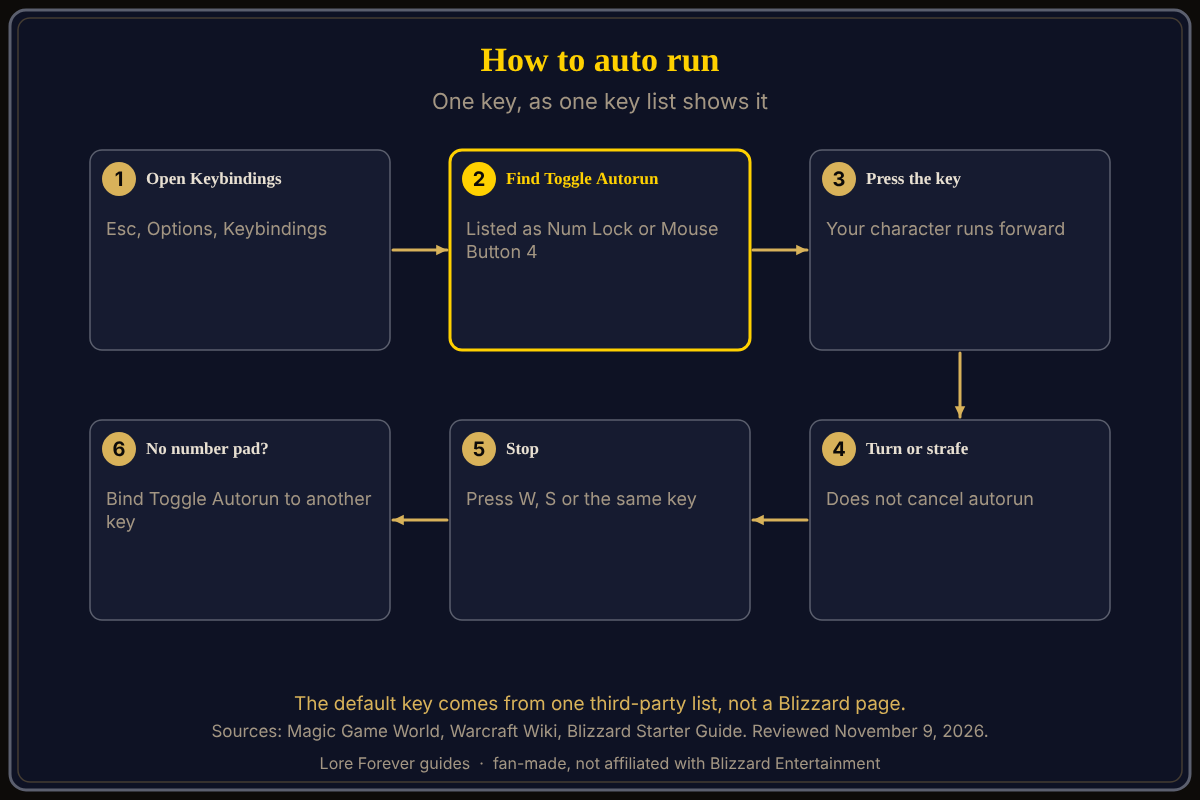
Searchers also call it auto walk: your character keeps running forward without a held key. For WASD, strafing and jumping see the movement controls guide.
Key facts
- Binding name: "Toggle Autorun" (Magic Game World, November 4)
- Default in that list: Num Lock or Mouse Button 4
- Also listed: "Start Autorun" and "Stop Autorun" exist and are Not Bound
- Cancel: W or S (Warcraft Wiki); turning and strafing do not cancel it
- Change it: Game Menu > Options > Keybindings (Blizzard's Starter Guide names this path)
What key do I press to autorun in WoW Forever?
Magic Game World's PC controls guide, written from the game's keybinding screen and dated November 4, 2026, lists Toggle Autorun as "Num Lock or Mouse Button 4". Mouse Button 4 is usually a side button on a multi-button mouse. The same list shows Start Autorun and Stop Autorun as Not Bound, so you can give them their own keys if you prefer one key to start and another to stop.
The Warcraft Wiki's Autorun page gives a general default of Num Lock on the Windows version and Clear (Fn+6) on the Mac version, citing a 2007 forum post. That is a general page, not a Forever page. Treat the Mac key as unconfirmed for Forever.
How do I stop autorunning?
Press the autorun key again, or press W or S. The Warcraft Wiki says any manual forward or backward input cancels autorun, while turning and strafing do not. So you can steer with the mouse and keep running.
How do I auto run without a number pad?
Num Lock does not help on many laptops. Open Esc, then Options, then Keybindings, find the movement bindings and set Toggle Autorun to a key you can reach. The Warcraft Wiki says players often rebind it, for example to Shift plus W, and some link it to an extra mouse button.
Is there a follow or auto walk key?
The same list shows Follow Target (Not Bound) and Toggle Run/Walk (Num Pad /). No page I opened explains how Follow Target behaves in Forever, so test it yourself.
What is not confirmed yet
- Blizzard has no page I opened that prints the default autorun key for Forever; the key comes from Magic Game World.
- The Mac default for Forever; the wiki's Clear (Fn+6) is a general statement.
- Whether Mouse Button 4 works with every mouse driver; that depends on your mouse.
- The exact Keybindings screen layout for Forever.
Can Willo or the Lore Forever add-on help with autorun?
Ask Willo out loud while you play, for example "what key is autorun", and she can answer from what she knows. She can be wrong and is not official; the in-game Keybindings list is the source of truth, and she does not change settings for you. Willo is free to start (50 answers a day) and is a separate companion app for Windows 10 or 11 and Apple Silicon Macs (macOS 12 or later), per her page; the Lore Forever FAQ says Windows and Mac, though CurseForge still calls her a Windows app. The free Lore Forever add-on adds quest stories while you travel. It is fan-made, not affiliated with Blizzard, has no internet access, and its narration uses generated voices.
See also default keybindings, how to change keybinds and the first hour guide.
Frequently asked questions
How do I auto run in WoW Forever?
Press Toggle Autorun, listed as Num Lock or Mouse Button 4 by Magic Game World.
How do I stop auto run?
Press the same key again, or press W or S.
How do I rebind autorun?
Esc > Options > Keybindings, then set Toggle Autorun.
Is auto walk the same as autorun?
Searchers use both terms for the same movement; Toggle Run/Walk is a separate key.
Does turning cancel autorun?
No, per the Warcraft Wiki; only forward or backward input does.
Sources
Reviewed November 9, 2026. Lore Forever and Willo are fan-made and are not affiliated with Blizzard Entertainment.