Guide ·
WoW Forever Click to Move and Auto Walk: What Is Confirmed
Auto walk in World of Warcraft: Forever (WoW Forever) is the autorun key, which keeps your character moving forward until you press W or S, while click to move is a separate mouse option that one beta-era guide lists and no Blizzard page opened for this article confirms.
Quick answer: For auto walk, press your Toggle Autorun key and cancel it with W or S; turning and strafing do not cancel it. For click to move, press Esc, open Options and type "click" in the search box. One guide recommends leaving it off while riding a mount.
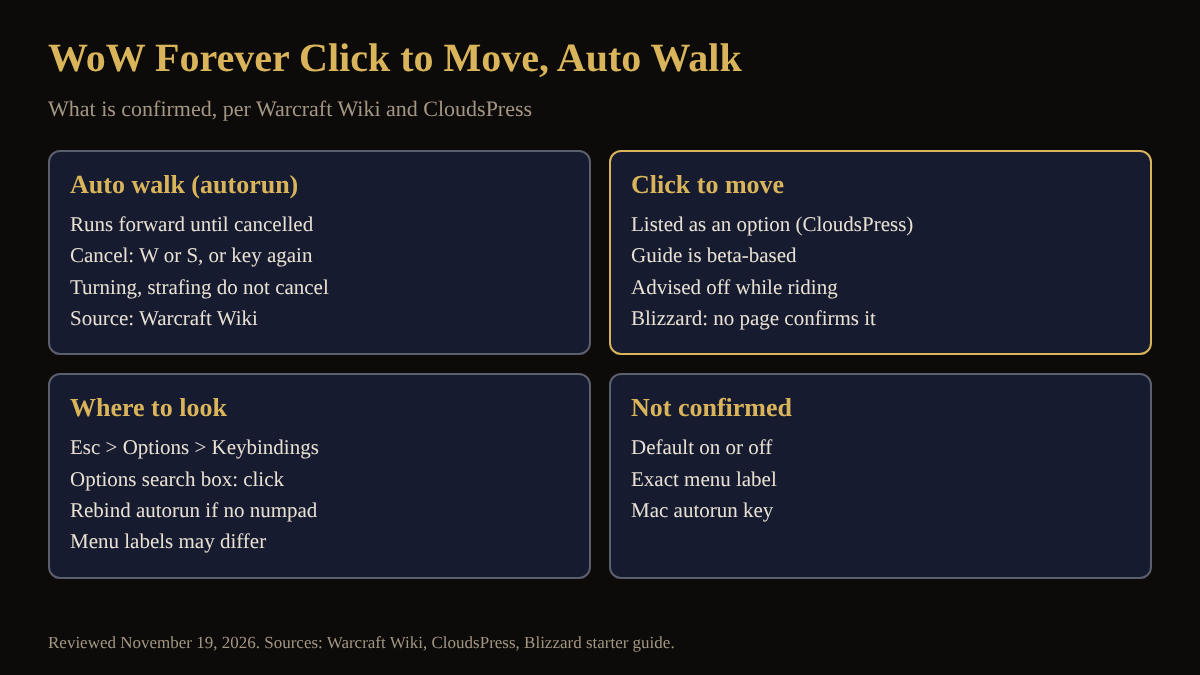
Key facts
- Cancel: any manual forward or backward input, such as W or S; turning and strafing do not cancel (Warcraft Wiki).
- Rebinding: Blizzard's starter guide puts key bindings under Game Menu > Options > Keybindings.
- Click to move: listed as a setting in CloudsPress's October 30 guide, written from the beta; it recommends it disabled for mounted travel.
What is auto walk in WoW Forever?
Players search for "auto walk", but the game's own term is autorun: a hotkey that makes your character run forward until you cancel it. The Warcraft Wiki describes it that way and says it can be cancelled by pressing the key again or by any manual input to run forward or backward. The autorun guide covers the default key listed for Forever and how to rebind it, and the movement controls guide covers the rest of the movement keys.
How do I stop auto walking?
Press W or S, or press the autorun key a second time. The Warcraft Wiki says turning and strafing do not cancel autorun, so you can steer while still moving. The wiki gives Num Lock on Windows and Clear (Fn+6) on Mac as general defaults, from a 2007 forum post, not a Forever-specific source. Magic Game World's November 4 list of Forever keybindings shows Toggle Autorun on Num Lock or Mouse Button 4, with Start Autorun and Stop Autorun not bound.
Does WoW Forever have click to move?
CloudsPress's guide to mounted control lists "Click-to-Move" among the camera and mouse options it advises changing, which suggests the option exists in the Forever client. It was written from the beta, so use the Options search field rather than a fixed menu path. The Warcraft Wiki describes the autoInteract setting as the Click-to-move mouse option, but that is a modern WoW page, so it does not confirm Forever. Magic Game World's keybinding list has no click to move entry. Blizzard's starter guide only says that controls and key bindings live under Esc > Options; see also the mouse settings guide.
Should click to move be on or off?
That is one guide's opinion, not a rule. CloudsPress recommends leaving click to move disabled for 60 and 100 percent ground mounts because an accidental click on the ground could send the mount toward a point you did not intend. The right mouse button steers instead; see camera controls.
What is not confirmed yet about click to move?
- Whether click to move is on or off by default in the launch client.
- The exact menu tab and label. CloudsPress's menu names come from the beta.
How can the Lore Forever add-on and Willo help with auto walk and click to move?
Neither changes your keys: the free, fan-made Lore Forever add-on tells the story of the zone you are crossing while you run, and CurseForge says it covers every zone, city and dungeon up to level 30, plus Zephras Isle, the Hall of Thanes and the Ruins of Lordaeron, with place lore for the rest of the world. Recorded narration covers selected entries and the rest is text. Willo is a separate companion app, free to start with 50 answers a day.
Frequently asked questions
How do I auto walk in WoW Forever?
Press your Toggle Autorun key. See the autorun guide for the default key and rebinding.
What cancels autorun in WoW Forever?
Pressing W or S, or pressing the autorun key again. Turning and strafing do not cancel it, per the Warcraft Wiki.
Is there click to move in WoW Forever?
One beta-era guide lists a Click-to-Move option, but no Blizzard page opened here confirms it. Search "click" in Esc > Options to check your client.
Does auto walk work on a Mac?
You can set the key yourself in Options > Keybindings. The wiki's Mac default, Clear (Fn+6), is unconfirmed for Forever.
Where do I change movement keys?
Press Esc, choose Options and open Keybindings, the route Blizzard's starter guide names.
Sources
Reviewed November 19, 2026. Lore Forever and Willo are fan-made and are not affiliated with Blizzard Entertainment.