Guide ·
How to Stop Lore Forever Narration From Playing on Arrival
To stop the Lore Forever add-on narrating when you arrive somewhere, untick "Play narrations as you arrive" in its Options, or type /lore autoplay, per the Lore Forever FAQ as of November 11, 2026. Any story can still be played on demand with its Listen button.
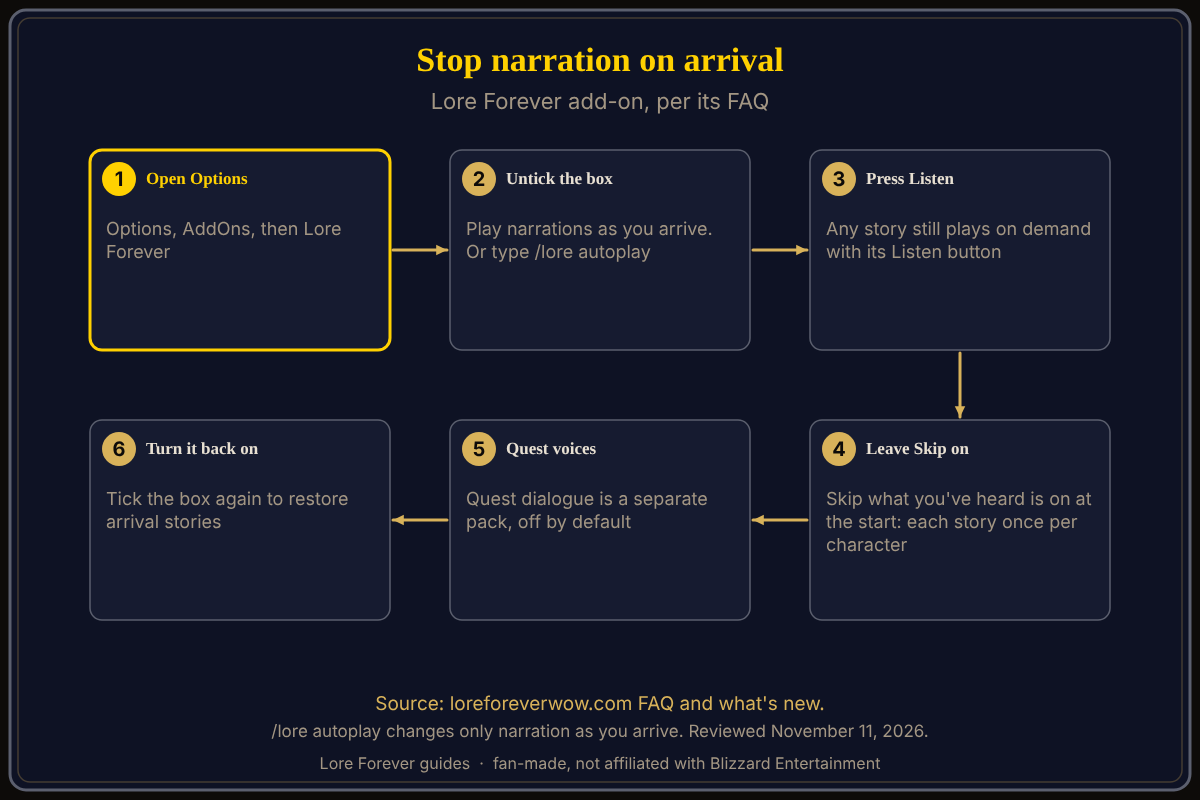
Quick answer: Open Options › AddOns › Lore Forever and untick Play narrations as you arrive, or type /lore autoplay in chat. A zone's story already plays only once per character, because Skip what you've heard is on by default. Quest dialogue is off by default and has its own switch.
Related: slash commands explained, Listen, playlist and subtitles and Lore Forever and Spoken together.
Key facts
- Default: a zone's or place's story plays by itself once per character, the first time you arrive (the FAQ)
- Option for that: Skip what you've heard, in Options, on at the start
- Switch off arrival stories: untick Play narrations as you arrive, or type /lore autoplay
- Quest dialogue: off by default; a separate optional pack with its own setting, Speak quest dialogue
How do I stop narration when I arrive?
- Open Lore Forever's Options in game. The FAQ writes the add-on's settings path as Options › AddOns › Lore Forever.
- Untick Play narrations as you arrive.
- Or skip the menu: type /lore autoplay in chat, which the FAQ gives as the other way to stop arrival narration.
The FAQ says /lore autoplay only changes narration as you arrive. Nothing else is switched off by it. If a quest page still talks, that is quest dialogue, covered below.
Why does the story only play once?
Because Skip what you've heard is on at the start. The FAQ says a zone's or place's story plays by itself once per character the first time you arrive there, and not every time you enter it. A new character hears the zone stories again, as the rule is per character. You do not need to change this to stop repeats.
How do I hear a story when I want to?
Press the story's Listen button. The FAQ says you can play any story again with it, even after arrival narration is off. The what's new page for November 10 also says that when narration is set to play only when you press Play, the boxes it holds back are greyed out and keep their ticks, so you can see what is waiting. The Listen, playlist and subtitles guide covers the rest.
What about quest voices?
Quest dialogue, what quest givers say when you open, work on and turn in a quest, is a separate optional download and starts off, per the FAQ. If you installed the pack and want it quiet, the setting is Speak quest dialogue in Options. If another add-on such as Spoken already voices your quests, the FAQ advises leaving the pack out; see using Lore Forever with Spoken.
How do I turn it back on, or change who narrates?
Tick Play narrations as you arrive again; the FAQ does not say whether /lore autoplay switches it back on, so check the box afterwards. To change the voice, install voices from Downloads, then pick them under Options › AddOns › Lore Forever › Narration voices, or type /lore voice, per the FAQ. A voice that has not recorded a story hands it to the next one in your order.
What is not confirmed yet
- Option wording: I copied the labels from the FAQ; I did not open the in-game Options this time, so they may be worded slightly differently after updates.
- Whether /lore autoplay reports the new state in chat: not stated.
How can the Lore Forever add-on and Willo help?
The free Lore Forever add-on is fan-made, not affiliated with Blizzard, and its included narrators are generated voices; narration is yours to start whenever you want. Willo is a separate companion app for Windows and Mac that answers out loud, if you prefer to ask.
Frequently asked questions
How do I turn off Lore Forever narration on arrival?
Untick Play narrations as you arrive in Options, or type /lore autoplay.
Does the zone story play every time I enter a zone?
No. The FAQ says it plays once per character, on first arrival, while Skip what you've heard is on.
Can I still listen to a story later?
Yes, with its Listen button.
Does /lore autoplay stop quest dialogue?
No. The FAQ says it changes only narration as you arrive.
Where do I choose the narrator voice?
Options › AddOns › Lore Forever › Narration voices, or /lore voice.
Sources
Reviewed November 11, 2026. Lore Forever is fan-made and is not affiliated with Blizzard Entertainment.
- Lore Forever: FAQ, what's new
- Willo: willocompanion.com/willo