Guide ·
WoW Forever Armory: How to Look Up a Character by Name
The WoW Forever Armory is the character lookup on Blizzard's World of Warcraft site, with a game version selector that includes World of Warcraft: Forever (WoW Forever); log in with Battle.net to see your own characters, and note that a character must be level 10 to appear.
Quick answer: Open Blizzard's Armory, choose World of Warcraft: Forever as the game version and a region, then search for a character. Forever uses a two-name system, a main name and a secondary name, unique within a region. Blizzard says characters appear from level 10. Third-party armories also search by first name and surname.
Key facts
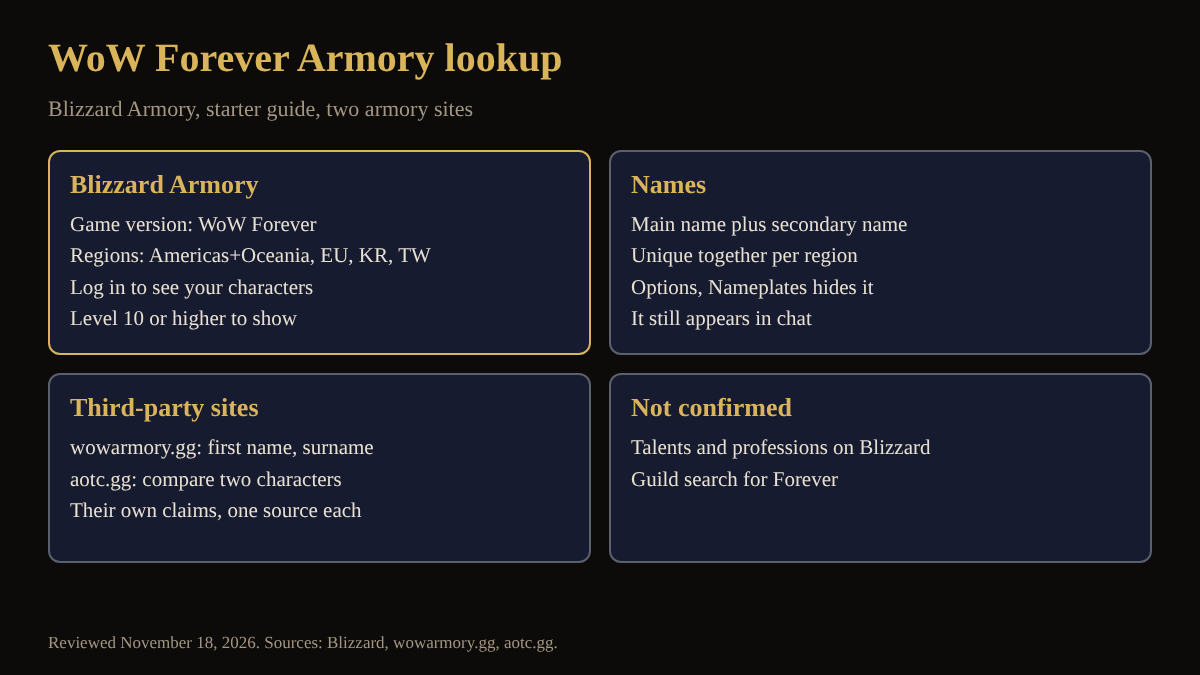
- Blizzard's Armory lists World of Warcraft: Forever as a game version; the region selector offers Americas and Oceania, Europe, Korea and Taiwan (Blizzard Armory page)
- A character must be at least level 10 to show on the Armory (Blizzard)
- Names: a main name and a secondary name, unique together within a region (Blizzard starter guide)
- Hiding the secondary name: Options, Nameplates, My Secondary Name; it still appears in chat (Blizzard)
- Third-party sites also search by first name and surname (wowarmory.gg, aotc.gg)
How do you look up a character on Blizzard's Armory?
Blizzard's Armory page offers a game version selector set to World of Warcraft: Forever, a region selector that opens to Americas and Oceania, Europe, Korea and Taiwan, and a box to search for characters and guilds. It also invites you to log in with Battle.net to view your own characters, progress and achievements. The page says a character must be at least level 10 to show. How guild results look was not checked.
How do Forever character names work in a search?
Blizzard's starter guide says Forever uses a two-name system: a main name and a secondary name, and the full combination must be unique within your region. You can hide the secondary name under Options, Nameplates, My Secondary Name, but it still appears in chat. Enter both names, spelled exactly. The guides on the two-name system and character name rules cover how names are chosen.
Why can you not find a character?
Third-party armories give the most detail. wowarmory.gg says to check the region, first name and surname; that characters become available from level 10 after logging out of the game; that new or renamed characters may take longer; and that, if a server type is chosen, trying again without it can help. It also says profiles update after logout. These are one site's statements and Blizzard's page does not repeat them.
What can a Forever armory show?
Blizzard's page describes characters, gear, achievements and stats across the game. wowarmory.gg says its Forever profiles show equipment with item levels, stats, active talents and professions. aotc.gg says it tracks the US, EU, KR and TW regions and the Normal, PvP, Roleplay and Roleplay PvP rulesets, ranks the top 100 characters by gear score, item level and honorable kills, and lets you compare two characters side by side. Its population page breaks characters down by class, race and level. Blizzard's selector, wowarmory.gg (EU and US) and aotc.gg (US, EU, KR and TW) list different regions, so check which one holds your character.
Where do you compare gear and builds?
An armory shows what a character wears, not what you should wear. For reading items, see how to read item colors and compare gear and talents explained. To find a guild, see how to find a guild.
What is not confirmed yet
- Whether Blizzard's Armory shows talents, professions and item levels for Forever characters: its page text does not list them.
- How often profiles refresh: only one third-party site gives a rule.
- Whether guild searches work for Forever, and what a looked-up character shows without logging in.
- Third-party coverage and totals are those sites' own claims.
How can the Lore Forever add-on and Willo help with armory lookups?
Lore Forever does not look up characters; CurseForge describes a free, fan-made add-on that tells the lore of zones, quests and people, with coverage for every zone, city and dungeon up to level 30 and place lore for the rest of the world. Willo is a separate companion app, free to start with 50 answers a day, per her plans page.
Frequently asked questions
Is there an official Armory for WoW Forever?
Yes; Blizzard's Armory page lists World of Warcraft: Forever as a game version.
What level must a character be to show?
Level 10, per Blizzard and both third-party sites.
Why do I need two names?
Forever uses a main name and a secondary name that must be unique together in a region, per Blizzard.
Do I need to log in?
Blizzard's page asks you to log in to view your own characters.
Can I hide my secondary name?
Under Options, Nameplates, My Secondary Name, though chat still shows it.
Sources
Reviewed November 18, 2026. Lore Forever and Willo are fan-made and are not affiliated with Blizzard Entertainment.